Release Date: January 8, 2026
This release brings new and enhanced features, better scalability, smoother workflows, and a richer user experience on Connect.
CloudBlue is proud to introduce the brand new Credentials Vault module in the Connect platform! This new functionality within the portal allows partners to configure and securely manage their partner credentials for authenticated actions such as subscription fulfillment, accessing sensitive reports and catalogs, and more.
Partners can define their credential models, configure dev, test, and production credentials, validate active credentials, rotate expiring credentials, and a host of other credential management functionalities.

Learn more about the Vault module here.
The CloudBlue Connect platform now allows distributors to access two additional price lists models. These additional price list models allow partners to create specific price lists that is required for more complex multi-tier channel distribution operations.
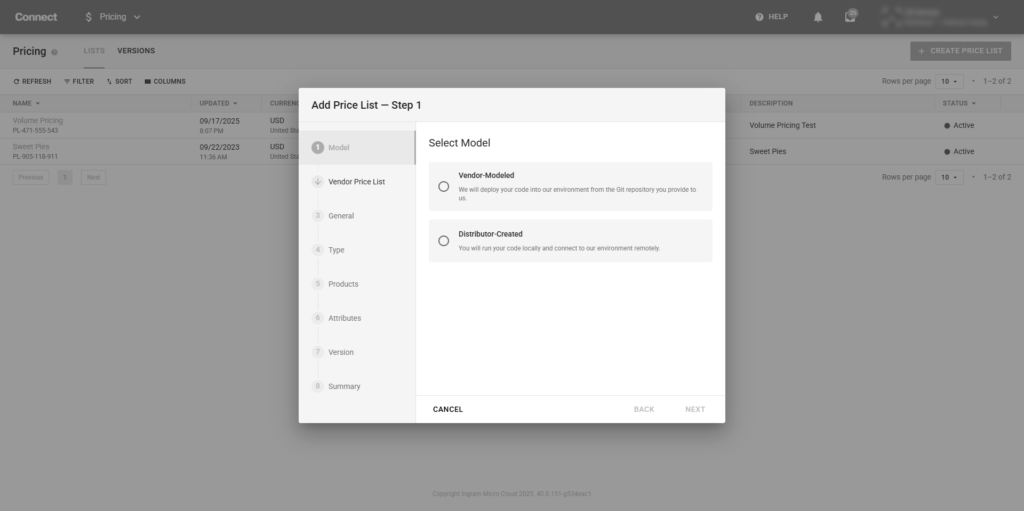
Distributors can now create a derived version of the vendor price list – described as vendor-modeled – to create a new price list for their partners and resellers. This vendor-modeled price list allows distributors to modify the vendor price list to configure exact pricing needed for the their tiered resellers.
Distributors can now create original price lists focused on their existing vendor’s products within their distributor account. The distributor-created price lists is organically created with only the distributor’s input for the price list’s content.
Note: Both of these new price list models can be made CloudBlue Commerce compatible.
Learn more about the new price list models here.
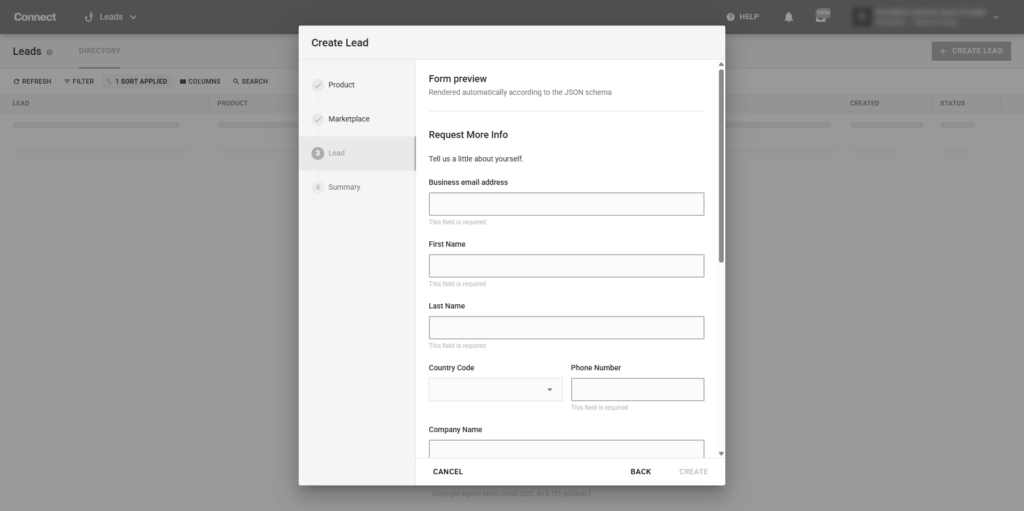
Distributors can now create leads directly from within their account. By accessing the Leads module, Distributors can go through an experience wizard to create new Leads that can be created based on the product, marketplace, and configured lead form. Once created, these Leads are sent to the appropriate Vendor partner and continues as a regular lead.
Learn more about leads creation here.
We have enhanced multiple aspects of our platform to boost performance, optimize operational efficiency, and strengthen security across various areas.