Release Date: July 15, 2026
This release brings new and enhanced features, better scalability, smoother workflows, and a richer user experience on CloudBlue Connect®.

The new Onboarding Assistants module guides Vendors through creating their product catalog in CloudBlue Connect®. The AI-powered assistant automatically infers how source data from the Vendor maps to Connect Products and Items, flags ambiguities and missing required fields with confidence indicators, and lets Vendors review and refine mappings before anything is created.
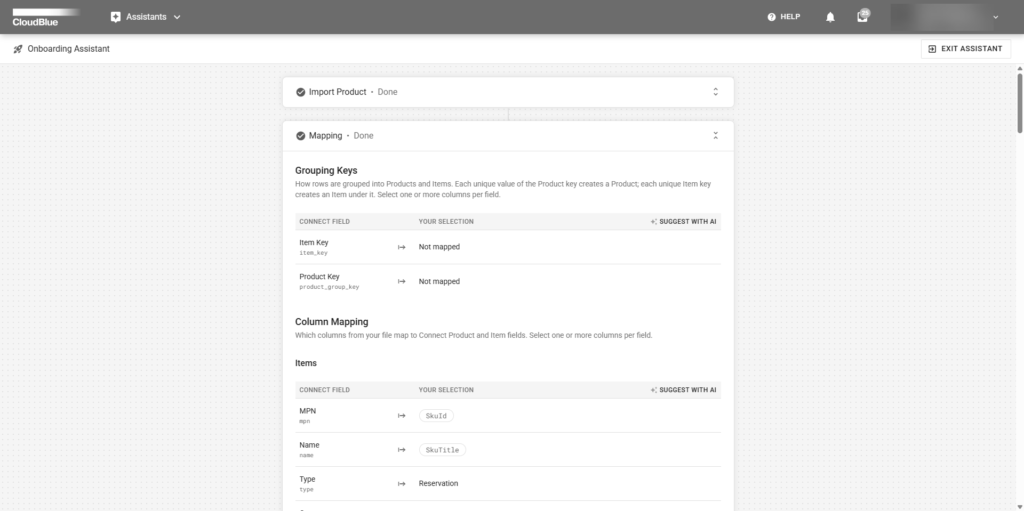
In-context explanations of key concepts like Products vs. Items appear throughout the flow, reducing the learning curve for new vendors. Every onboarding run produces a detailed results report with per-record outcomes, links to created entities, and a full audit history.
Read more about the Assistants Module here.
Distributors can now create Item Groups to organize related products within their catalog. This allows partners to categorize items with shared characteristics, streamlining marketplace setup, pricing, fulfillment, and other operational workflows.
Read more about Item Groups here.
Distributors can now include a product’s CloudBlue Offer directly within Packs configured for syndication and their resellers. This allows Partners to drastically speed up product setup and launch within their commercial marketplaces.
Read more about the Packs Module here.
Items within CloudBlue Offer Plans have been restructured for greater flexibility in catalog management. Commitments have been removed from Offer Items, and it’s now possible to link multiple product items with different commitment terms to a single plan through offer items.
Upgrade resource mapping has also been reassessed as part of this change to ensure full compatibility across CloudBlue platforms.
Read more about CloudBlue Offers here.
We have introduced the following changes to parameters:
User groups now support granular permissions, giving account administrators precise control over which modules a group can access and what members can do within those modules.
Admins can now assign one of two roles per module:
Read more about the Permission Groups here.
No Action Required: To ensure zero disruption, all existing user groups have been automatically set to Editor for their assigned modules, keeping your current permissions completely intact.
We have enhanced multiple aspects of our platform to boost performance, optimize operational efficiency, and strengthen security across various areas.